

Skip to content

Car search alerts on your phone

Keep promising cars within reach while you are away from your desk. Use the Autofindr app or mobile web workspace to review matches, manage searches and continue your buying decisions with the same account.

Open the mobile web workspace
Download Autofindr on the App StoreDownload Autofindr on the App StoreGet Autofindr on Google Play

Available on iPhone and Android.

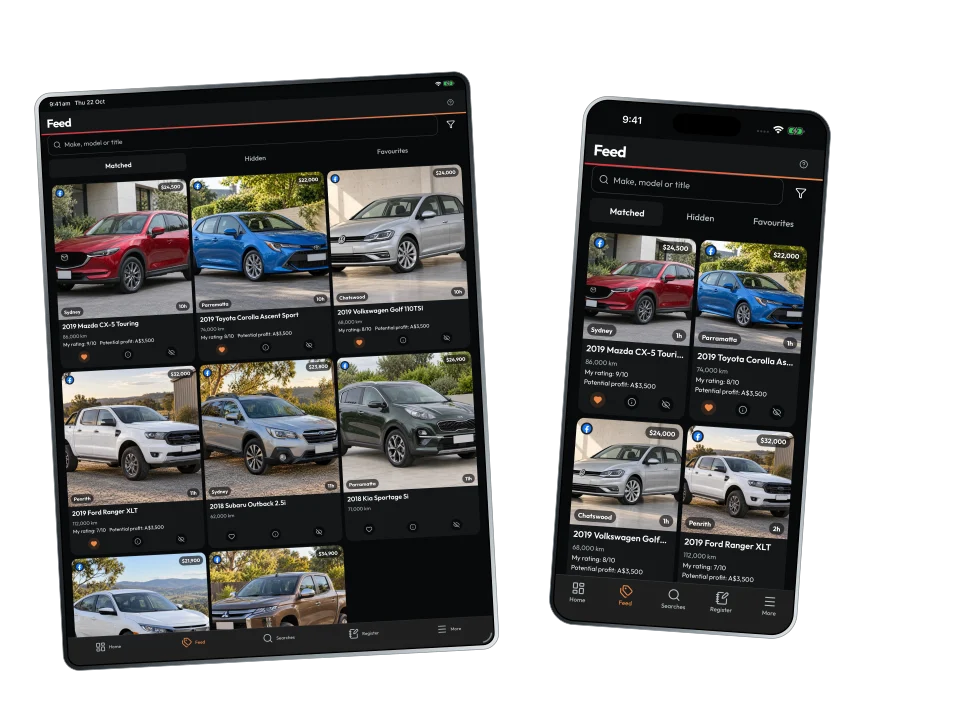
The native Autofindr app running on a phone and tablet with populated vehicle feeds
Native Autofindr app previews. Sample account. Store availability is described below.

Instant notifications for the cars you are watching

A promising car should reach you while there is still time to act. Autofindr checks your saved searches in the background and alerts you as soon as it finds a new match. Native listing notifications bring the vehicle, asking price and location straight to your phone, ready to review.

Notification options and browser support

Allow notifications in the app, or use browser notifications on supported devices, email, Telegram or Discord. Choose one-minute checks for priority searches, or ten-minute and hourly checks for other interests. Notifications require permission and an available connection; checking continues without keeping marketplace tabs open.

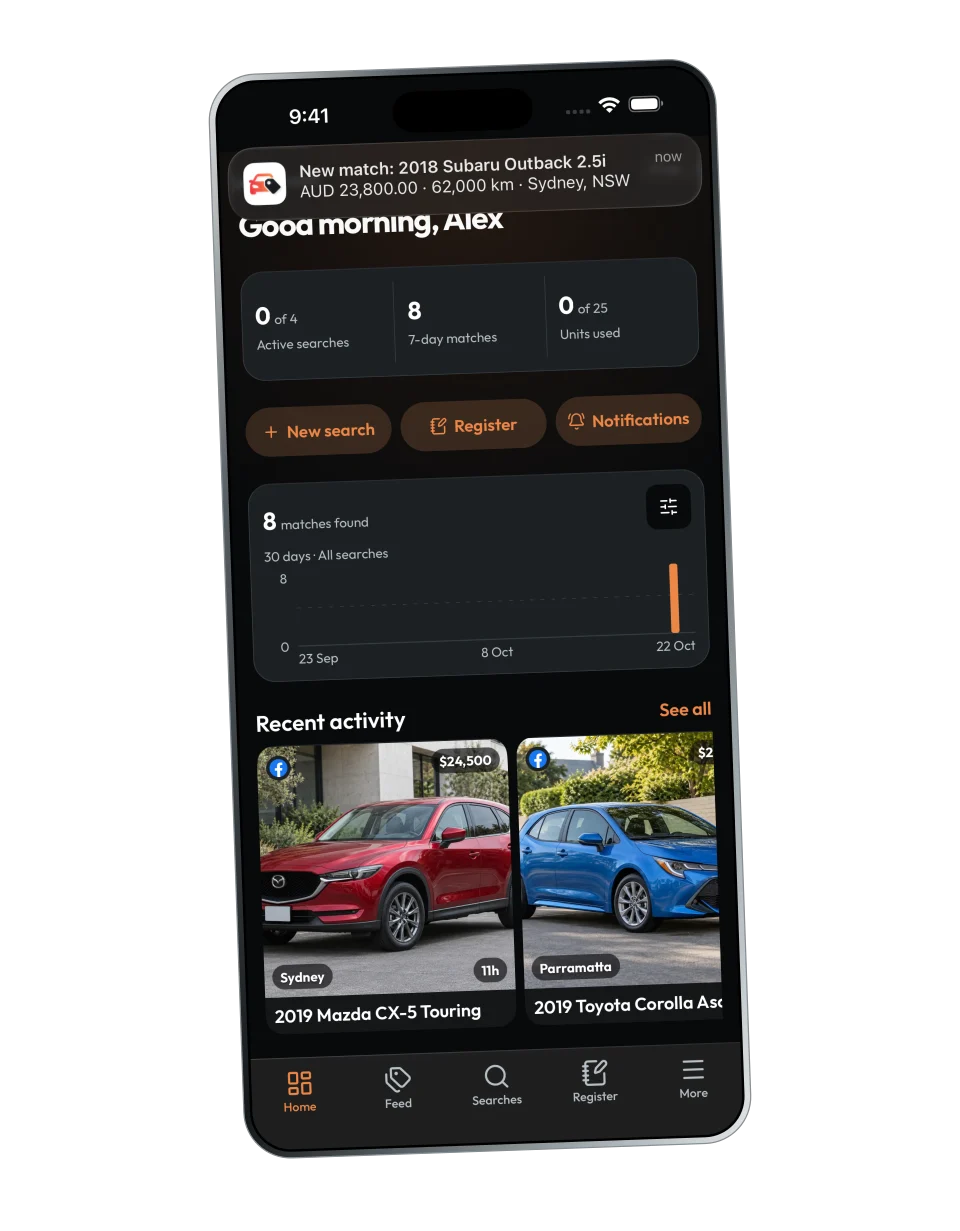
A new matching Subaru Outback listing notification received above the native Autofindr dashboard, including its asking price, mileage and location
Native Autofindr app with a sample listing notification.

Manage searches from your phone

Open the app or responsive web workspace to create a vehicle search, change supported criteria, pause monitoring or review search status. Use one-minute checking for a priority car, ten-minute checks for other candidates and hourly monitoring for a wider interest.

Choose supported vehicle criteria

Each search monitors one marketplace. Clone it to watch another source or model, then check the available controls. This makes it easier to adjust your brief without rebuilding everything when your budget or plans change.

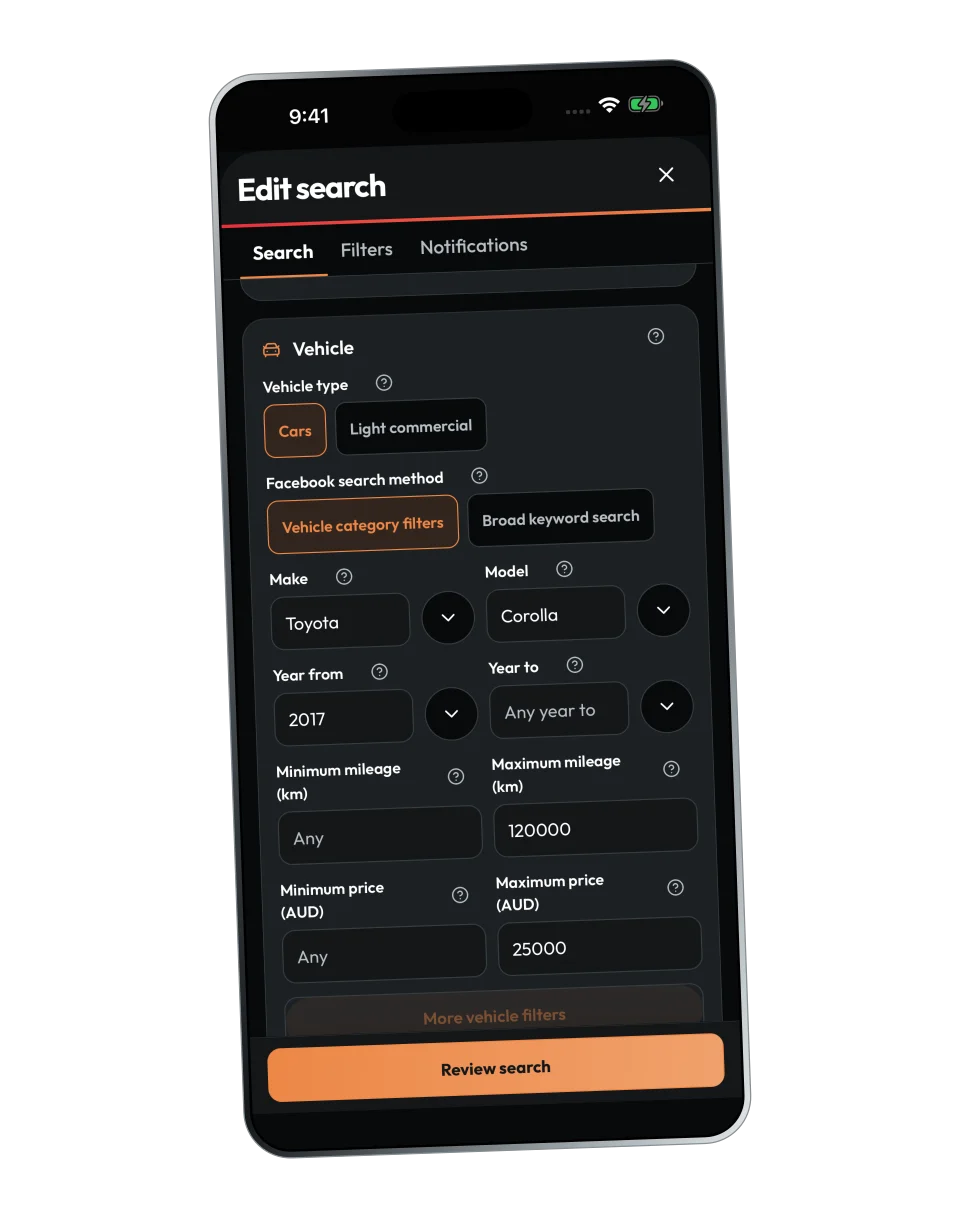
Native Autofindr vehicle search configuration
Actual Autofindr screen. Sample account and illustrative vehicles.

Keep your shortlist and notes with you

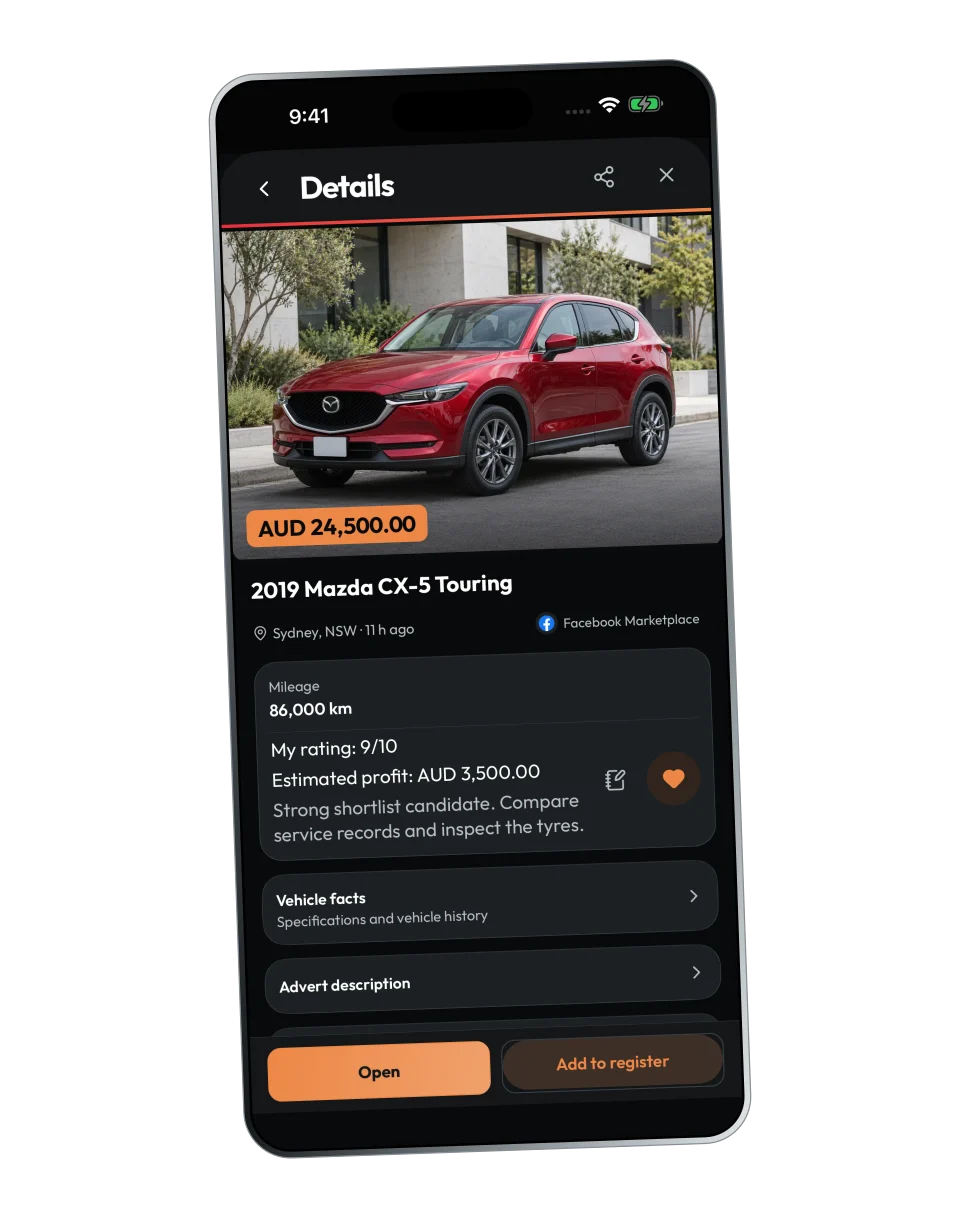
Review available photos, asking prices, vehicle facts and original advert links in your feed. Save favourites and keep seller questions, personal ratings and estimated costs alongside the vehicle.

Take the next conversation forward

When you return to a candidate, your saved assessment gives you the context for the next conversation. A note about an inspection or unanswered question is more useful than another forgotten browser tab. Contact sellers through the original marketplace.

A saved vehicle's details, rating and notes in the native Autofindr app
Actual Autofindr screen. Sample account and illustrative vehicles.

Access purchase records when you need them

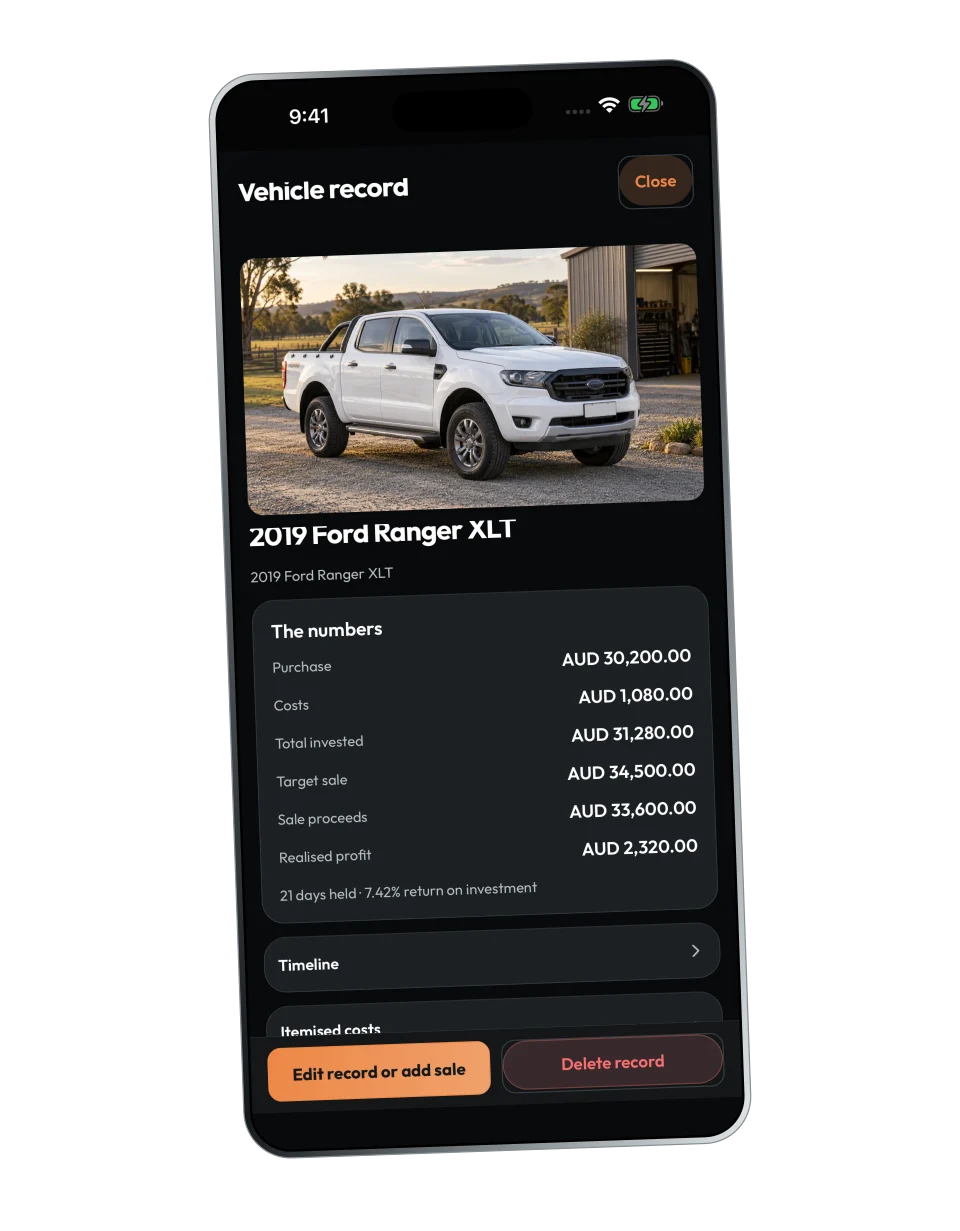
Check the recorded purchase amount, itemised expenses, notes and sale details from the app or web workspace. Add a purchase found elsewhere as well as a car discovered through Autofindr.

Actual costs and record availability

Keeping costs together helps you understand the money committed to a vehicle while it is being prepared. Record actual sale proceeds when the transaction completes and export retained records before their displayed deadline if you need longer-term copies.

A populated vehicle register in the native Autofindr app
Actual Autofindr screen. Sample account and illustrative vehicles.

Choose your notification destinations

In Notifications, connect supported destinations and test delivery. Default channels receive alerts from searches using Default delivery; a custom selection sends to the destinations chosen for that search instead.

Allow app or browser notifications when prompted if you want alerts on that device. If permission is blocked, review the browser or device settings. You can turn a search's alerts off while keeping its matches in the feed. Webhooks and advanced destination management are available in the portal.

One account and shared subscription capacity

Your searches, favourites and register belong to your Autofindr workspace. Sign in on the app or another supported browser to continue with your saved information rather than starting a second shortlist.

Linked Classifindr and Autofindr customers share their current subscription and allowance. Device access does not require buying another plan. Manage billing through Autofindr's own portal, where you can see combined usage, available capacity and subscription controls.

iPhone and Android app availability

Available on iPhone and Android.

Download the app using the available store links. Sign in with your Autofindr account to access vehicle searches, feed review, favourites and purchase records, with phone notification support. Your existing account and subscription capacity work across the app and web workspace.

Download Autofindr on the App StoreDownload Autofindr on the App StoreGet Autofindr on Google Play

Available on iPhone and Android.

Use the mobile web workspace