Skip to content

Car searches, alerts and purchase tracking

Find suitable cars sooner, spend less time repeating searches and keep better records of every buying decision. Autofindr brings vehicle discovery, alerts, personal assessments and purchase-to-sale tracking into one workspace.

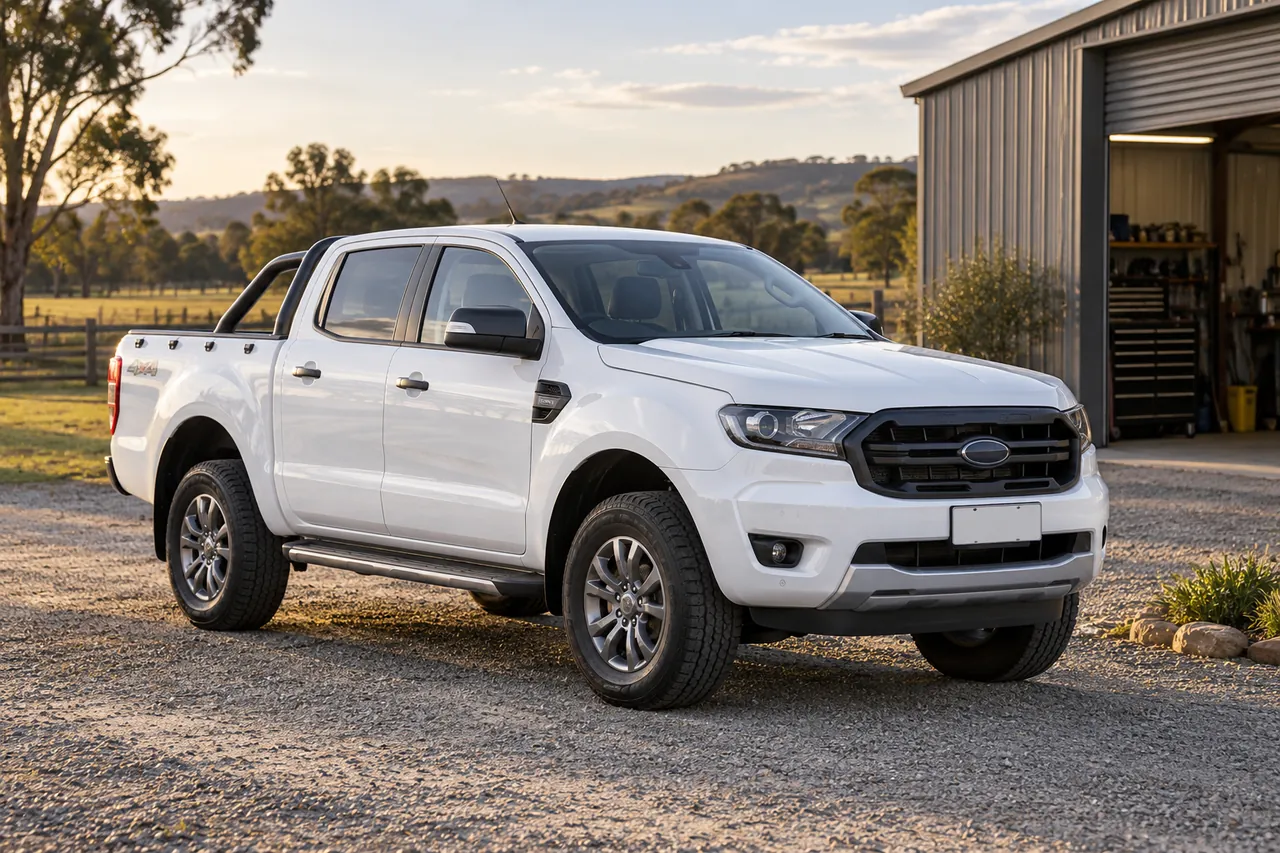
White Ford Ranger ute outside a rural workshop

Find matching cars without searching all day

Opening Facebook Marketplace, Auto Trader, Gumtree and eBay again and again takes time away from the rest of your day. Autofindr runs scheduled searches for you and brings newly detected matches into one feed, so you can focus on the cars worth investigating.

Search scope and background checking

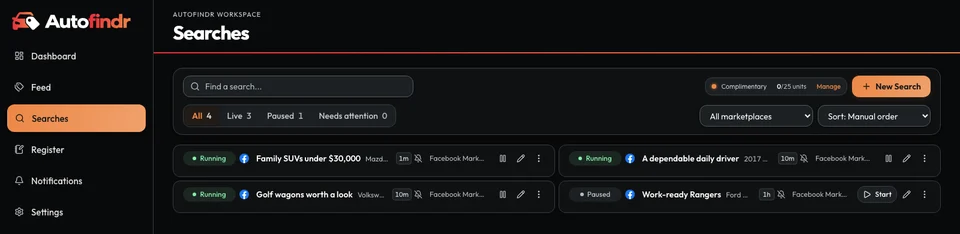
Each search monitors one marketplace. Clone a search to reuse its criteria on another supported source, then review the controls available there. Your searches keep checking when you close the website; you do not need to leave marketplace tabs open.

Build your first search
Three running Autofindr vehicle searches and one paused search
Actual Autofindr screen. Sample account and illustrative vehicles.

Create searches manually or with AI

Know exactly what you want? Choose your vehicle and configure the search yourself. Prefer to start with a description? Tell the AI builder what you are looking for and review the editable draft it produces.

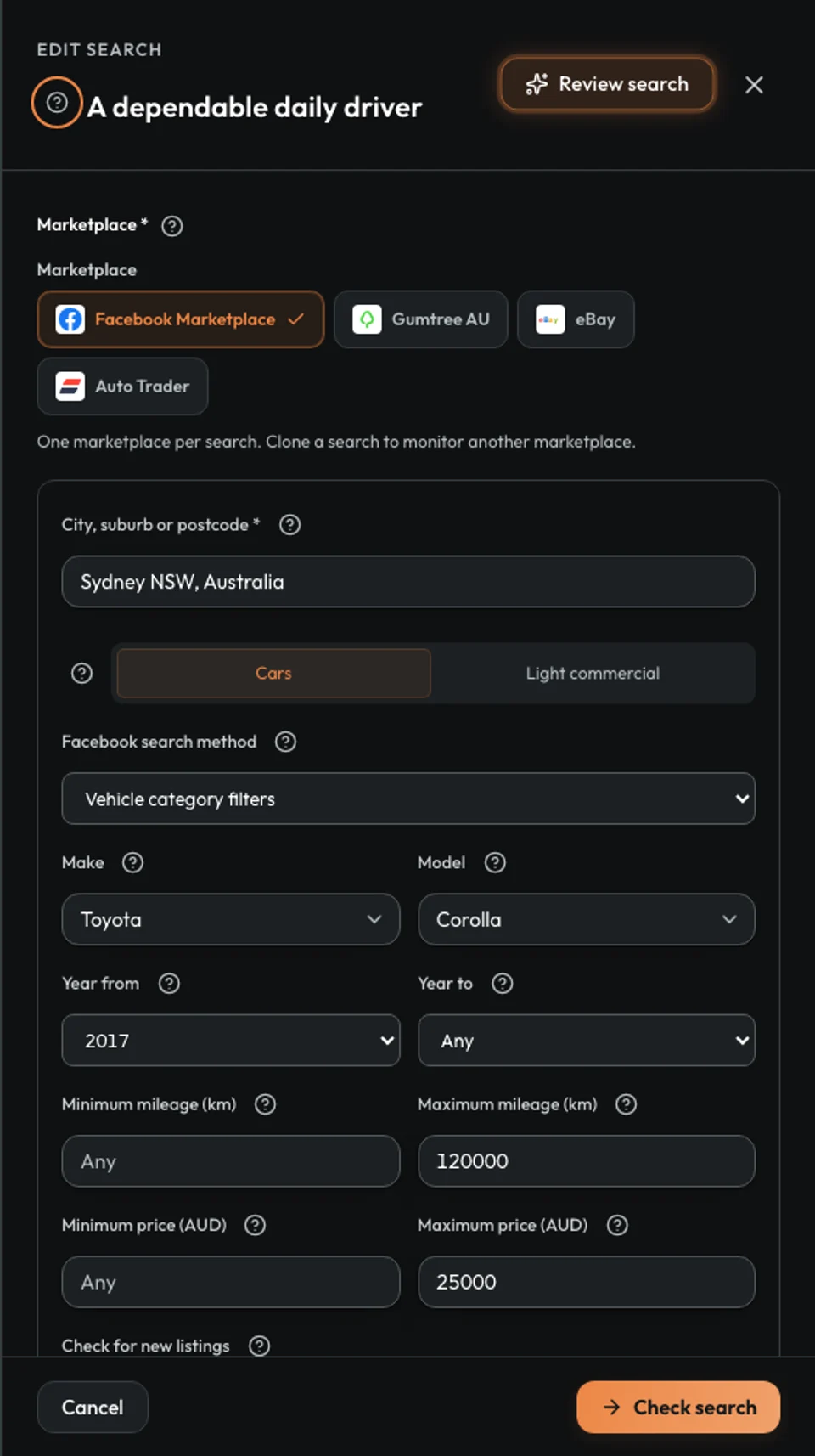
For example, describe a Toyota Corolla within a $25,000 budget, with your preferred years and mileage. Choose a suggested location and marketplace, check the supported criteria and confirm the setup before saving. AI drafting saves form-filling effort while keeping you in control of the final search.

Search for the specifications that matter

An attractive price means little if the car is the wrong model or too far away. Use make, model, year, mileage, budget and location controls where the selected marketplace supports them. Additional choices can include body style, fuel, transmission, trim and seller type.

The editor shows the options that the chosen source can actually apply. Some sources use a fixed area or region instead of a selectable radius. Review that scope so your search fits the distance you are prepared to travel.

Reduce irrelevant results

Use Advanced Rules to require or exclude words in available advert fields. For example, exclude adverts that explicitly describe a track car, or require the model wording that matters to your search. Keep nonessential preferences broad enough to avoid overlooking a promising candidate.

Advanced Rules and optional AI

For requirements needing interpretation, add an optional AI instruction such as "Exclude adverts that explicitly mention engine problems". AI reviews the collected advert evidence, including the available text and supported image evidence. Missing information stays uncertain and included; ask the seller about anything important that the advert does not establish.

  • Marketplace controls narrow the search at its source.
  • Advanced Rules and AI check returned adverts against requirements you choose.
  • Filtering decisions and explanations help you understand the results.
A populated Autofindr search editor with vehicle, location, mileage and budget controls
Actual Autofindr screen. Sample account and illustrative vehicles.

Act sooner with fast alerts

A desirable car can attract a serious buyer before your next manual check. Select one-minute checking for a priority search, ten-minute checking for a balanced approach or hourly checks for a broader interest. Autofindr alerts you as soon as it finds a matching listing through your configured delivery.

Alert destinations and delivery

Use native phone notifications, browser notifications, email, Telegram, Discord or webhooks. Choose default destinations, specific channels for a search, or alerts off while retaining matches in the feed. Allow notifications in the app to receive alerts on that device.

An alert links back to the original advert, where you can confirm availability, ask questions and contact the seller. The checking interval describes monitoring frequency; marketplace conditions and delivery can affect arrival time.

Download Autofindr on the App StoreDownload Autofindr on the App StoreGet Autofindr on Google Play

Available on iPhone and Android.

Explore the mobile apps
Checking interval
60scheduled checks per hour

Illustrative checking frequency over one hour.

Build an organised shortlist

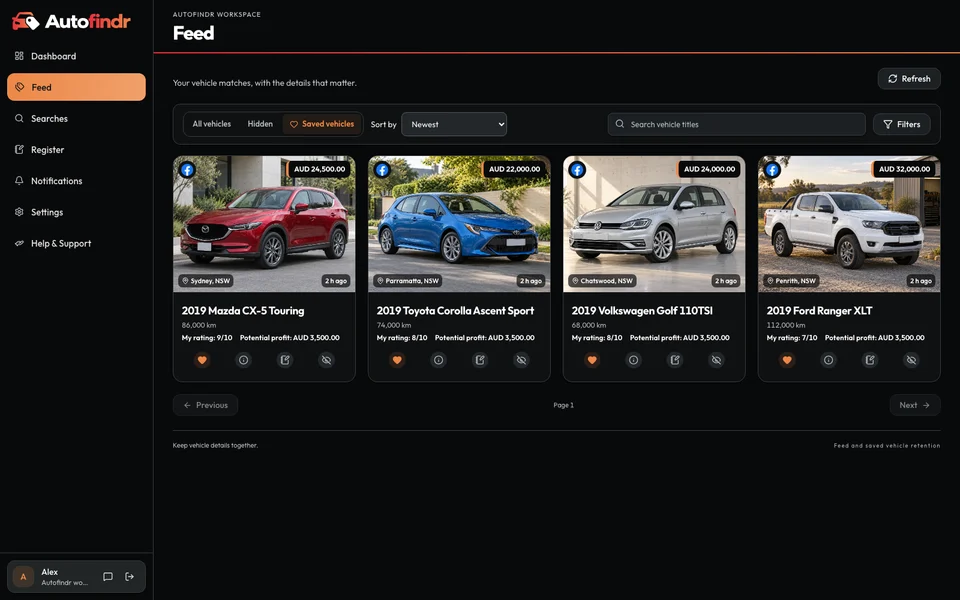
Keep promising cars together instead of losing them in messages and browser tabs. Save favourites, add your own rating and record notes about condition, service history, inspection questions or a planned offer.

Favourites, ratings and personal notes

The feed lets you review available vehicle facts and asking prices, filter your view and revisit stored decisions. Your personal notes and ratings organise your buying process without changing what a search matches.

Four saved vehicles in the Autofindr shortlist
Actual Autofindr screen. Sample account and illustrative vehicles.

Estimate the full buying cost

A low asking price can look very different after repairs, preparation and transport. Save an expected purchase price, expected resale price and estimated costs with a vehicle. Use the calculated potential profit or enter your own estimate.

Understand the worked cost example

A purchase at $26,000, another $2,000 in entered costs and a $32,000 sale would leave $4,000 before tax, your labour and business overheads. That is a 12.5% margin on sale proceeds, or a 14.3% return on the $28,000 invested. These illustrative figures help you test a target, not predict the car's value.

One vehicle. Every recorded cost.

Purchase price
$26,000
Repairs, preparation and other costs
$2,000
Total invested
$28,000
Sale proceeds
$32,000
Result after entered costs$4,000

Illustrative completed sale, before tax, labour and overheads.

Know your result after selling

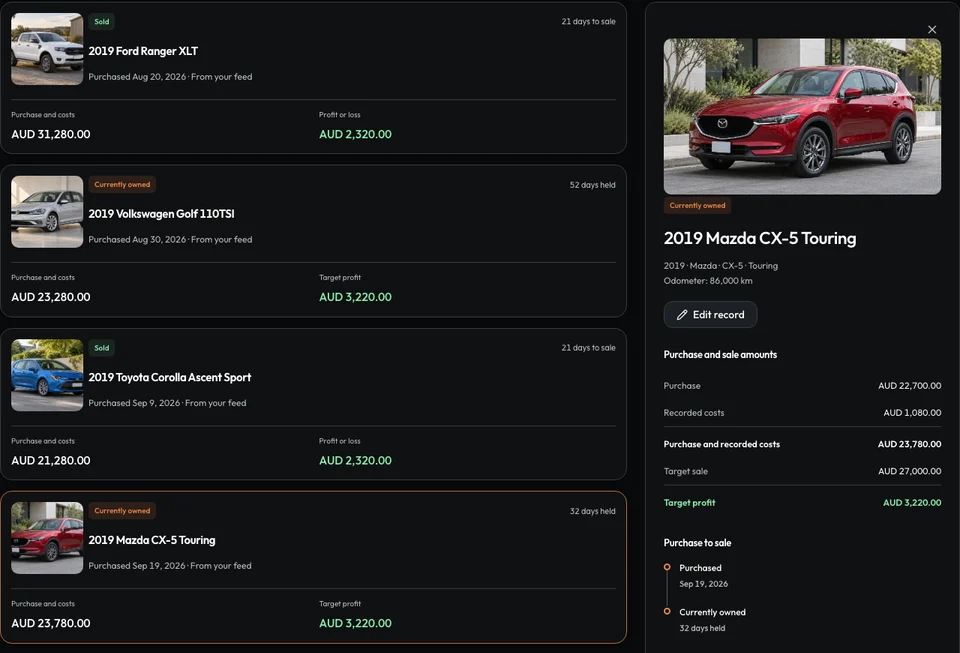
Start a register entry from a retained listing or add a purchase found elsewhere. Enter the amount you actually paid, purchase date, itemised costs, notes and target sale price. A matched listing supplies useful context without replacing your actual transaction amounts.

Autofindr purchase records with an expanded vehicle cost summary
Actual Autofindr screen. Sample account and illustrative vehicles.
  1. Find the candidateSearches and alerts
  2. Assess the purchaseNotes, questions and expected costs
  3. Record the resultActual purchase, expenses and sale
Actual amounts, itemised costs and completed sales

When the vehicle sells, record the sale date and proceeds to see the result after entered expenses. Keep estimates separate from completed amounts so an optimistic target never becomes a recorded profit. You can add your own vehicle photo and retain references alongside the record.

  • Record repairs, inspections, transport, preparation and other expenses.
  • Track purchases still in progress and vehicles already sold.
  • Use the results to improve your next buying brief.

Bring existing records with you

Import vehicles from CSV, Excel .xlsx or Autofindr JSON instead of entering every record again. Review recognised columns and use Match columns to correct unfamiliar headings before confirming the import.

Records missing essential purchase details go into Needs purchase details so you can finish them later. Imported estimates remain estimates, and a sale needs both a date and actual sale amount. Repeating an import skips existing records rather than duplicating your history.

Export records when you need them

Download vehicle totals as CSV, individual cost entries as a separate CSV, or complete records and listing snapshots as JSON. Use these copies for your own analysis or a later Autofindr import.

Ordinary matches remain for 30 days and favourites for 90 days from the match date. A saved assessment extends availability to one year from its first assessment. Purchase records have a two-year cap from purchase and can expire after a verified continuous 90-day subscription lapse. Valid shared Classifindr coverage counts. Export anything needed for longer.

Find matching cars sooner

Let Autofindr handle the repeat searches. Get alerts and act while a promising car is still available.

View plans